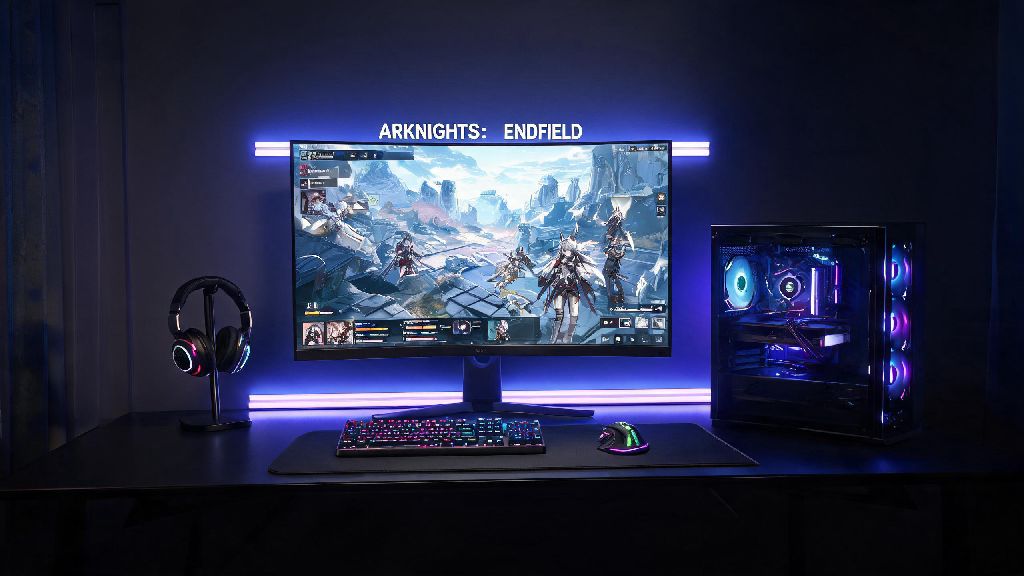
If you’re a fan of the Arknights franchise, you’ve probably seen buzz around the Arknights Endfield Epic Games release popping up on your social media feeds over the past few weeks. I’ve been playing Arknights games since the original mobile title launched, so I jumped at the chance to test the Epic version of Endfield as soon as it went live. After 40+ hours of gameplay across both high-end and mid-range PC setups, I’ve put together all the details you need to decide if this version is right for you, plus tips to avoid common headaches when getting started.
What Makes the Arknights Endfield Epic Games Release Different From Other Versions?
The biggest difference between the Epic release and the mobile/other PC versions is that it’s a fully native PC build, not a ported or emulated version of the mobile game. That means it’s optimized specifically for PC hardware, with support for 4K resolution, uncapped frame rates, and full mouse and keyboard controls that don’t feel like an afterthought. I tested it on a RTX 3060 laptop, and I was able to run it at 4K 60fps on maximum settings with zero stutter, which is a huge upgrade from the 30-40fps I get running the mobile version on an emulator.
Another big perk is full cross-progression support across all platforms, as long as you use the same Hypergryph account to log in. That means you can grind for materials on your phone during your commute, then pick up right where you left off on your PC at home without losing any progress. You also get access to Epic’s built-in social features, so you can add friends who play on Epic directly and join their co-op missions without needing to exchange in-game ID codes.
Epic is also offering exclusive launch perks for players who download the game through their store, which you won’t get on any other platform. These perks are available for free for the first 30 days after launch, so you don’t have to spend any extra money to claim them.
Step-by-Step Guide to Getting Started on the Epic Games Store
Getting set up with the Epic version of Arknights Endfield is pretty straightforward, but there are a few small steps you don’t want to skip if you want to keep your existing progress and claim all your free perks. First, make sure you have an Epic Games account set up, and that you’re logged into the desktop client. Search for Arknights Endfield in the store, and hit the download button – the game is free to play, so you won’t be charged anything.
When you launch the game for the first time, you’ll be prompted to either create a new account or bind an existing Hypergryph account. Always use the same email you used for your mobile Arknights Endfield account if you want to sync your progress. If you use a different email, you’ll end up with a fresh account and won’t be able to merge your progress later.
Once you’re logged in, you can claim your exclusive Epic launch perks from the in-game mail system. These perks are automatically added to your account as long as you downloaded the game via Epic, so you don’t need to enter any special codes. The full list of free launch perks includes:
Make sure you claim these perks before the 30-day launch window ends, because they won’t be available again after that point. I missed a similar exclusive skin for the original Arknights launch on another platform a few years back, and I still regret it, so don’t make the same mistake I did.
Common Issues You Might Face (And How to Fix Them)
Even with the solid native optimization, there are a few small issues I ran into during my first week playing the Epic version, and I’ve seen other players report the same problems online. Most of them are easy to fix if you know what to do, so you don’t have to wait for a patch to get back to playing.
The most common issue people report is cross-progression not syncing between their mobile and Epic accounts. This almost always happens because people accidentally create a new account when they first launch the Epic version, instead of binding their existing account. If you do this by mistake, you can contact Hypergryph support through the in-game help center, and they can usually merge the two accounts for you within 24 hours, as long as you can prove you own both accounts.
Another common issue is lower than expected frame rates on mid-range PCs. The game defaults to maximum settings when you first launch it, so if you’re running a GPU older than a GTX 1660, you’ll want to turn down shadow quality and disable ambient occlusion first. Those two settings have the biggest impact on frame rate, and you won’t notice a huge difference in visual quality when you turn them down. I tested this on my old GTX 1650 desktop, and turning those two settings down from high to low boosted my frame rate by 25fps, so it’s an easy tradeoff if you want smoother gameplay.
If you’re having trouble finding players for co-op missions, make sure you have your server region set to the same one you use on mobile. The Epic version shares co-op lobbies with the mobile version, so there are always thousands of players online, but if you’re connected to a less popular region, you might wait longer for matches. Switching to the North America or Asia server usually cuts wait times down to under 30 seconds for most co-op missions.
Is the Epic Games Version of Arknights Endfield Worth Playing?
At the end of the day, whether the Epic version is right for you depends on how you prefer to play games. If you only ever play Arknights Endfield on your phone when you’re out and about, you probably don’t need to download the Epic version, though you can still download it to claim the free perks and use it occasionally when you’re at home.
For players who spend most of their gaming time on PC, the Epic version is absolutely the better choice. The native optimization makes the game look and run way better than the emulated mobile version, and the mouse and keyboard controls make combat feel far more responsive. It’s much easier to aim skills and position your operators precisely with a mouse, which makes hard mode missions way less frustrating.
The only real downside to the Epic version is that you have to use the Epic Games Store client to launch it, which some people don’t like. If you already have Epic installed for other games, this isn’t a problem at all, but if you don’t, you will have to download the client and create an account to play. That’s a small inconvenience for most people, though, especially since the game and all the launch perks are free.
I’ve been switching between the Epic version at home and the mobile version when I’m out for the past two weeks, and it’s been the best of both worlds. I get the smooth, high-quality gameplay on PC when I have time to sit down and play for a few hours, and I can still do my daily missions on my phone when I’m waiting for appointments or commuting to work.
No matter if you’re a long-time Arknights fan or a new player who’s just curious about the franchise, the Arknights Endfield Epic Games release is a great way to jump into the series. The free exclusive perks, solid native PC optimization, and full cross-progression support make it a no-brainer for anyone who plays games on PC. If you haven’t checked it out yet, you can download it for free right now from the Epic Games Store, and you’ll have plenty of time to claim all the launch perks before the window closes.