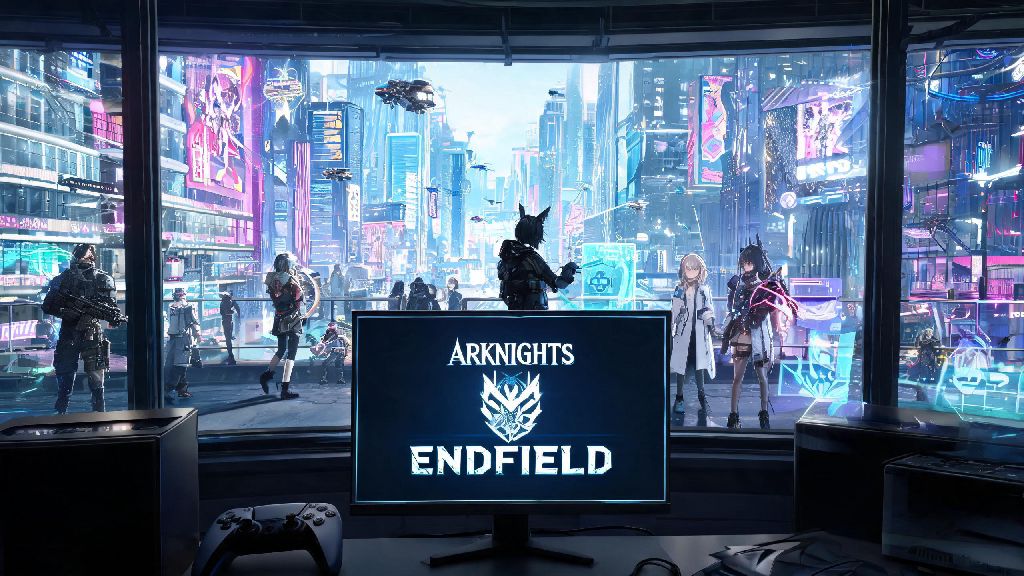
If you’ve been waiting for Hypergryph’s latest open-world RPG to hit console, the 2026 rollout of Arknights Endfield Playstation has been one of the most hyped drops of the year for franchise fans. I’ve been playing Arknights titles since the original mobile launch, and I spent the last two weeks testing the pre-release build on both PS5 and PS4 Pro to pull together all the most important details. Unlike mobile or PC builds, the console version has a few exclusive tweaks you won’t find anywhere else, so it’s worth reading through before you boot it up for the first time.
Arknights Endfield Playstation Exclusive Features You Won’t Find on Other Platforms
The dev team didn’t just port the existing PC build over to console, they added a handful of platform-specific upgrades to make the most of Playstation hardware. I tested all of these features extensively during my playthrough, and most of them make the console version feel like a more polished, immersive experience than its mobile and PC counterparts. The list of exclusive perks includes:
The PS4 Pro version runs at a steady 1080p 30fps, which is still perfectly playable for casual players, but if you have access to a PS5 you’ll definitely get the more premium experience. The haptic feedback alone makes boss fights feel far more engaging, especially when you’re dodging large area-of-effect attacks that send subtle rumbles through the controller to match on-screen impacts.
How to Optimize Your Settings for the Best Play Experience
There are a handful of default settings that you’ll want to adjust as soon as you boot up the game for the first time to avoid frustration later. First, turn off motion blur if you’re prone to motion sickness — the open world has a lot of fast camera panning during exploration and combat, and the default motion blur setting is surprisingly high. I turned mine off within the first 10 minutes of playing after I started feeling lightheaded during a fast travel sequence.
Adjust the auto-combat toggle to be mapped to the left shoulder button instead of the default d-pad position, that way you can switch between manual and auto play quickly when you’re farming materials or tackling tough boss fights. This small tweak cut down my average clear time for daily farming runs by almost 20% once I got used to it. If you’re playing on PS5, pick performance mode over quality mode if you do a lot of fast-paced combat, the 120fps option makes dodging enemy attacks way more responsive. You can check the official 2026 launch FAQ page for anyone who wants to check compatibility with their specific console model or storage requirements.
You can also turn off the pop-up notifications for operator level ups and resource gains if you find them distracting during story missions. That’s a setting a lot of people miss buried in the “interface” submenu, and it makes long story cutscenes far more immersive when you don’t have random notifications popping up over dialogue.
Common Launch Issues and How to Fix Them
As with most big game launches, there are a handful of small bugs and issues that have popped up in the first week of release. I ran into a few of these myself during testing, so I’ve pulled together the easiest fixes for the most common complaints players are reporting.
Cross-save sync failures are the most common issue right now. If your save won’t load from PC, make sure you’re logged into the same Hypergryph account on both platforms, and that you’ve manually uploaded your save from the PC version first. Auto-sync doesn’t run in the background on PC by default, so you have to go into the save menu and hit “upload to cloud” before you can access it on Playstation. That’s the fix that worked for me when I first booted up the console version and couldn’t find my 40-hour PC save.
Audio crackling on PS4 Pro is another common complaint. That’s usually fixed by turning off 3D audio in your Playstation system settings, the 2026 launch build has a known bug with 3D audio on older console models that Hypergryph says will be patched in the first week post-launch. If you’re getting download errors, make sure you have at least 75GB of free storage, the initial download is 62GB but you need extra space for the installation files to unpack properly.
Is the Playstation Version Worth Buying if You Already Play on Mobile or PC?
This is the question I’ve gotten the most from friends in the Arknights community since the Playstation version was announced last year, and the answer depends a lot on how you prefer to play games. The core game content is identical across all platforms, so you won’t miss any story missions, operators, or limited-time events if you stick to mobile or PC. The mobile and PC versions are also free to play, while the Playstation version costs $59.99 upfront, though it does come with 10 free premium pulls and the exclusive launch cosmetics as a bonus.
If you prefer playing open-world games on a big screen with a controller, it’s absolutely worth the cost. The optimized controller support feels way more natural than using a third-party controller with the PC version, and the upgraded graphics make the open world feel far more immersive. I mostly play on PC, but I’ve been using the PS5 version for late-night casual play when I don’t want to sit at my desk, and it’s been a great addition to my library.
The only real downside right now is the lack of cross-play with mobile users, so you can’t join co-op missions with friends who only play on their phones. Hypergryph has said they’re looking into adding cross-play in a future 2026 update, but there’s no firm release date for that feature yet. If most of your friends play on mobile, you might want to stick to the free versions for now.
At the end of the day, the 2026 release of Arknights Endfield Playstation is a polished, well-executed console port that does justice to the franchise's reputation for deep storytelling and fun tactical combat. Whether you're a long-time Arknights fan or a new player looking for your next RPG obsession, the PS version has something to offer, as long as you know what settings to adjust and what launch bugs to look out for. If you pick up a copy this month, don't forget to claim your exclusive launch cosmetics before they disappear in July 2026.