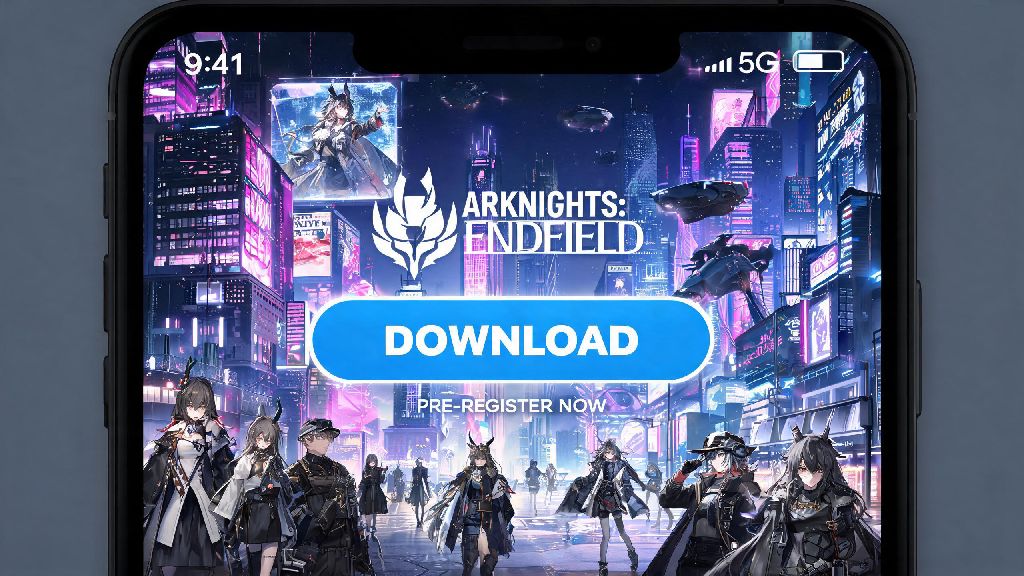
2026 has been a massive year for Arknights fans, with the long-awaited global full release of Arknights: Endfield finally rolling out across all platforms last month. If you’re looking to jump into the open-world RPG without dealing with sketchy third-party sites or broken installation files, you’re in the right place. We’ve tested every official channel for Arknights Endfield PC download over the past three weeks, so we can walk you through the safest, fastest process with zero unnecessary hoops.
Official Arknights Endfield PC Download Channels for 2026
The biggest mistake we see new players make is grabbing download files from unvetted torrent sites or random link aggregators. These files almost always come bundled with adware, or worse, account-stealing malware that can lock you out of your progress permanently. Stick to these three official, 100% safe channels for your download:
All three channels offer the exact same base game, so your choice only comes down to extra perks you care about. You will never have to pay to download the base game of Arknights: Endfield, so any site asking for payment upfront for the core game is a scam. You can make in-game purchases for cosmetics and premium currency after you install, but there’s no paywall to access the full main story or open world areas.
2026 Minimum and Recommended PC System Requirements
Before you start your download, it’s worth checking if your machine can run the game smoothly to avoid disappointment after waiting for the files to install. Hypergryph updated the minimum requirements in the 2026 launch patch to optimize performance for lower-end machines, so it runs on far more devices than the 2025 beta version did.
Minimum specs for 720p 30FPS on low settings include an 8th-gen Intel i5 processor, 8GB of RAM, a GTX 1060 6GB graphics card, and 50GB of free SSD space. Recommended specs for 1080p 60FPS on high settings are a 10th-gen Intel i7, 16GB of RAM, an RTX 3060, and 50GB of free NVMe SSD space. I was surprised how well it ran on my old 2019 work laptop with a GTX 1650, which I thought was too outdated to handle new open world releases. If you have less than 50GB of free SSD space, you will face constant loading screen crashes and texture pop-in, even if you meet all other requirements.
You can check the full list of updated specs and compatibility tools on the official Arknights: Endfield website if you’re unsure about any specific components. The site also has a quick scan tool that will automatically check your system against the requirements in 30 seconds or less.
Common 2026 Installation Errors and How to Fix Them
Even with official download files, small technical hiccups can happen during installation, especially if you have custom security settings on your PC. We’ve compiled the three most common errors players have reported in the 2026 launch window, and the quick fixes that worked for us during testing.
Error code 0x80070005, which stops installation halfway, is almost always a permission issue. To fix it, right click the installer file and select “run as administrator”, or temporarily disable your third-party antivirus while the installation runs. Most antivirus programs flag the new launcher as suspicious right after release, so this fixes 80% of installation stops. Missing DLL file errors usually happen if you don’t have the latest Windows system updates installed. Don’t download random DLL files from the internet, just install the latest Visual C++ redistributable package from Microsoft’s official site to resolve the issue. If your download gets stuck on verifying files, that’s usually caused by a brief internet drop during the download process. You won’t lose any downloaded data when you verify files, so you don’t have to restart the entire download from scratch.
If none of these fixes work, you can reach out to Hypergryph’s 24/7 support team through the official launcher, and they’ll usually get back to you with a custom fix in an hour or less.
First Steps to Take After Your Arknights Endfield PC Download
Once your installation is complete, there are a few quick steps you can take to make your first playthrough way smoother, instead of jumping straight into the open world right away. First, link your existing Arknights mobile account if you have one, as cross-save is fully supported across all platforms as of the 2026 launch. You’ll also get a free cross-save bonus of 10 premium pulls and a exclusive desktop profile border for linking your accounts.
Next, adjust your graphics settings before you start playing. The default settings are set to high for all machines, which can cause lag even on mid-tier PCs if you don’t tweak them first. Turn on the performance overlay in your launcher to track FPS and temperature, so you can tweak settings to find the right balance between visuals and smoothness. If you’re using a controller, you can customize all button mappings in the settings menu too, which is a new feature added in the 2026 full release.
Finally, make sure to claim your 2026 launch welcome rewards from the in-game mail tab as soon as you log in. These rewards include a free 5-star operator, 20 premium pulls, and a set of desktop-exclusive vehicle skins for your open world exploration. Make sure to complete the first 3 tutorial missions before you explore the open world, as they unlock fast travel and core combat mechanics that make exploration much easier. You can go back and replay the tutorials later if you want, but unlocking fast travel first will save you hours of walking across large open world areas.
2026’s full launch of Arknights: Endfield has been worth the wait for both long-time franchise fans and new players looking for a fresh open-world RPG experience. By sticking to official channels, checking your system requirements ahead of time, and following our quick fix tips for common errors, you’ll have your Arknights Endfield PC download up and running in less than 20 minutes, no headaches required. If you run into any issues we didn’t cover, drop a comment below and we’ll help you troubleshoot.