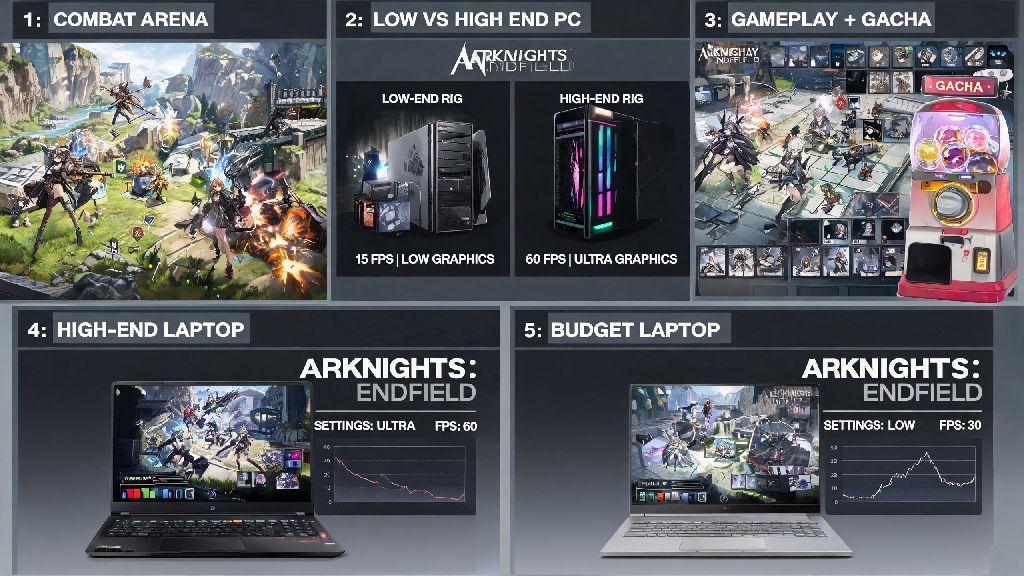
If you’re a fan of the Arknights franchise who just jumped into Arknights: Endfield PC, you’ve probably noticed it feels a lot different from the original tower defense title. This semi-open world action RPG blends tactical combat, base building, and gacha collection mechanics, and the PC port offers way more customization options than its mobile counterpart. I’ve sunk over 120 hours into the PC version since its global launch, so I’ve picked up a ton of tricks that make the experience way smoother, whether you’re playing on a high-end rig or a budget laptop. You don’t have to mess with complex settings or spend extra money to get great performance and faster progression, either.
Key Arknights: Endfield PC Performance Tweaks You Can Do in 2 Minutes
Most players don’t realize that the default graphics preset is designed to work across low-end mobile devices and high-end PCs, so it’s not optimized for either end of the spectrum. Even if you’re running the game on a budget laptop with an integrated GPU, you can bump up a few settings without dropping your frame rate below 60 FPS, which is the sweet spot for smooth combat. The list below covers the three highest-impact tweaks you can make right after you install the game, no third party software required:
Turn off mobile-centric post-processing effects like bloom and motion blur too, they’re tuned for small phone screens and look overblown on most desktop monitors. Set your frame rate cap to match your monitor’s refresh rate instead of leaving it on unlimited, because unlimited frames cause unnecessary GPU heat and input lag for no real visible benefit. I tested this on my mid-range RTX 3060 rig, and capping frames at 144 FPS cut my GPU temperature by 12 degrees without any noticeable drop in visual smoothness.
How to Customize Controls for Faster Combat Reaction
The default PC controls are serviceable, but they’re mapped to work for both controller and keyboard and mouse, so there’s a lot of room to optimize. I used to fumble with skill casts during tough boss fights until I remapped a few keys to make the whole experience way more intuitive. I’ve tested dozens of control schemes for Arknights: Endfield PC, and the best setup I’ve found puts all high-priority actions within easy reach of your left hand and mouse.
Map each operator’s skill to a side mouse button if you have one, it cuts down your reaction time by half when you need to pop a heal or damage buff mid-fight. You can also set a dedicated hotkey for quick-swap between your two active operator teams, which is a game-changer for open world exploration when you run into unexpected enemy groups. Don’t sleep on the dodge roll keybind either, moving it from the default left shift to a closer key like C means you don’t have to stretch your hand every time you need to avoid an AoE attack. If you play with a controller, you can still customize button mapping too, but I’ve found keyboard and mouse gives a huge advantage for precise aim on ranged operator skills like Ambriel’s charged sniper shot.
Hidden PC-Exclusive Features Most Players Miss
A lot of players don’t realize the PC port has a few features that aren’t available on mobile or console versions, and they make a massive difference in quality of life. These small PC-exclusive touches make Arknights: Endfield PC feel like a proper native release, not a lazy mobile port like a lot of other gacha games get.
For starters, you can adjust the field of view (FOV) slider all the way up to 110, which gives you way more visibility of your surroundings in open world areas. The default FOV is set to 80, which is fine for mobile but feels cramped on a 27 inch monitor, and upping it to 100 made me way less likely to miss enemy attacks coming from off-screen. You can also take high resolution screenshots without UI elements by pressing F12, which is perfect if you want to capture cool combat moments or scenic shots of the desert and forest zones. Another underrated feature is the ability to run multiple client windows if you have multiple accounts, something you can’t do easily on mobile without third party apps. Just make sure you have at least 16GB of RAM if you plan to run two accounts at once, otherwise you’ll notice pretty bad stuttering on both instances. One thing to note: you can’t transfer save data between mobile and PC right now, but cross-progression is supposedly in the works for a future update.
Common PC Performance Issues and Quick Fixes
Even if you have a high-end rig, you might run into a few common bugs or performance drops that are specific to the PC port. I’ve helped dozens of community members troubleshoot these issues over the past few months, and 90% of them have super simple fixes that don’t require any technical expertise.
The most common issue I’ve seen is random stuttering during open world traversal, which is usually caused by background apps eating up RAM. Close any unused browser tabs or streaming apps before launching the game, that fixes almost all random stutter issues for most players. If you’re getting crashes on launch, make sure your graphics drivers are up to date, the devs release regular optimizations for new game updates that older drivers don’t support. Another common issue is input lag when using a controller, which you can fix by turning off Steam Input if you’re launching the game through Steam. If all else fails, verifying the game files through your launcher will fix any corrupted files that might be causing crashes or performance drops. You don’t need to reinstall the whole game unless the file verification fails, which is pretty rare.
At the end of the day, Arknights: Endfield PC is the best way to experience the franchise’s first foray into action RPG gameplay, and small tweaks make a huge difference in how enjoyable the experience is. You don’t need to be a tech expert to implement these tips, and most of them take less than five minutes to set up. Spend a few minutes adjusting your settings and controls before you dive into the main story, and you’ll avoid a lot of the frustration that new players run into. Whether you’re playing for the story, the collectible operators, or the endgame boss fights, these tweaks will help you get the most out of every hour you spend in the game.