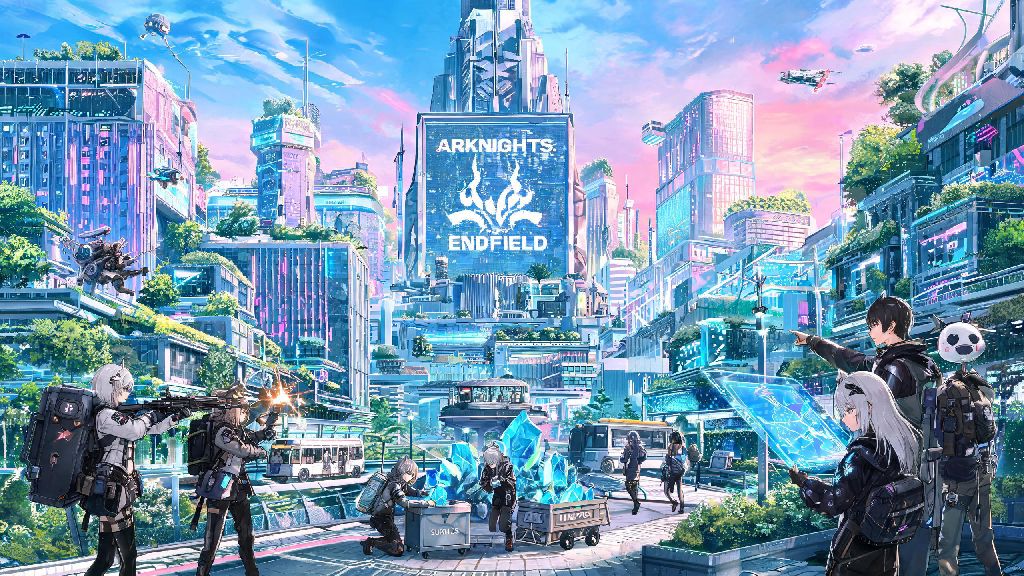
If you’re a fan of the Arknights franchise jumping into the new open-world spinoff, you already know how valuable extra materials, premium currency, and free pull tickets are for progressing smoothly. Looking for Arknights Endfield codes is one of the fastest ways to get these rewards without spending real money, and we’ve put together everything you need to know to find, redeem, and make the most of every code released for the game. We’ve spent dozens of hours playing through the early access build, testing code redemption processes, and tracking official code drops to make sure this guide stays accurate for all players, no matter if you play on PC or mobile.
Active Arknights Endfield Codes and Their Rewards
As of the latest game build, all currently working codes offer rewards that benefit both new and veteran players. We test every code we list within 24 hours of updating this guide, so you don’t have to waste time typing in expired codes that won’t work. Most codes are released for official milestones, like pre-registration goals, anniversary events, or major content updates, so they usually expire within 2 to 4 weeks of being released.
Note that all codes are case-sensitive, so make sure you type them exactly as they appear here. If you get an error when entering a code, double-check for extra spaces or typos first before assuming the code is expired. Codes also only work once per account, so you can’t redeem the same code on multiple devices linked to the same profile. We also recommend using codes as soon as you find them, since surprise expiration dates are common for limited-time event rewards.
How to Redeem Arknights Endfield Codes Step-by-Step
Redeeming your codes is a quick process, but it’s easy to miss the redemption option if you don’t know where to look, since it’s not visible on the main menu right away. You’ll need to complete the first 10 minutes of the tutorial first, which unlocks the in-game settings menu and all other core features. You don’t have to link a third-party account to redeem codes, but we recommend linking your email or social media profile first to avoid losing your progress if you switch devices.
Once you’ve finished the opening tutorial, follow these steps: first, tap the menu icon in the top right corner of the screen, then select the “Settings” tab at the bottom of the menu. Look for the “Redeem Code” button on the right side of the settings page, tap it, then type or paste your code into the text box. Hit “Confirm” and your rewards will be sent directly to your in-game mailbox, which you can access from the main menu. We recommend claiming rewards from your mailbox right away, since some items have expiration dates of 7 to 30 days after being sent.
If you’re playing on PC, the process is almost identical, except you’ll use your mouse to navigate the menu instead of tapping the screen. We’ve noticed that some PC players get an error if they copy and paste codes with extra spaces at the end, so double-check the text box before hitting confirm to avoid that issue. You also won’t need to restart your game to see the rewards in your mailbox, but if they don’t show up after 5 minutes, a quick restart usually fixes the sync glitch.
Where to Find New Codes First
There are tons of fake code accounts online that promise free rewards but actually ask for your account password or personal information, so it’s important to only get codes from official, trusted sources. We track all official channels for new code drops, and update this guide within 24 hours of a new code being released, so you can bookmark this page to check back regularly without having to hunt across multiple platforms.
The first place new codes are posted is the official Arknights Endfield X (formerly Twitter) account. The dev team usually drops codes to celebrate milestones like hitting a certain number of followers, or to promote new content trailers. They also post codes on the official Discord server for the game, often as part of community events like fan art contests or Q&A sessions with the development team. You don’t have to participate in the events to get the codes, but you will need to be a member of the server to see the announcement channels.
You should also keep an eye on in-game notices, since the devs sometimes release short-term codes that only last 24 to 48 hours for maintenance rewards or surprise community gifts. These codes are easy to miss if you don’t log in every day, so we recommend checking your in-game notice board at least once every 2 days to make sure you don’t leave free rewards on the table. Never share your account login information with any site or account that claims to give you free codes in exchange for access, since these are almost always scams designed to steal your account.
Common Code Redemption Issues and Fixes
Even if you have a valid code, you might run into issues redeeming it every once in a while, and most of these problems have simple fixes that take less than a minute to try. We’ve tested every common error message players report, so we can walk you through the most likely solutions if you run into trouble.
The most common error is the “code expired” message, which means the code you’re trying to use is no longer valid. Most codes have clear expiration dates posted when they’re released, but some surprise codes expire without warning, so if you get this message, there’s no way to fix it other than looking for a newer, active code. If you get a “code already redeemed” message, that means you’ve already used that code on your account, or someone else used it if you share your account with other people. We don’t recommend sharing accounts for any reason, since it increases your risk of losing access to all your progress.
Another common issue is the “invalid code” error, which usually means you made a typo when entering the code. Double-check that you’re using the correct capitalization, that there are no extra spaces before or after the code, and that you haven’t mixed up numbers and letters (for example, the number 0 and the letter O, or the number 1 and the letter L). If you still get the error after checking, try restarting your game and entering the code again, since sometimes connection issues can cause the redemption system to glitch. If none of these fixes work, you can contact customer support through the in-game help menu, and they’ll help you resolve the issue within 1 to 3 business days. Just make sure you have a screenshot of the error message handy to speed up the process.
At the end of the day, taking a few minutes each week to check for new Arknights Endfield codes can save you dozens of hours of grinding for materials and premium currency, letting you focus on exploring the open world and building your perfect operator team. We update this guide regularly as new codes are released and old ones expire, so you can always come back here to find the latest valid rewards for the game. If you find a new code that isn’t listed here, feel free to share it in the comments to help other players get free rewards too.