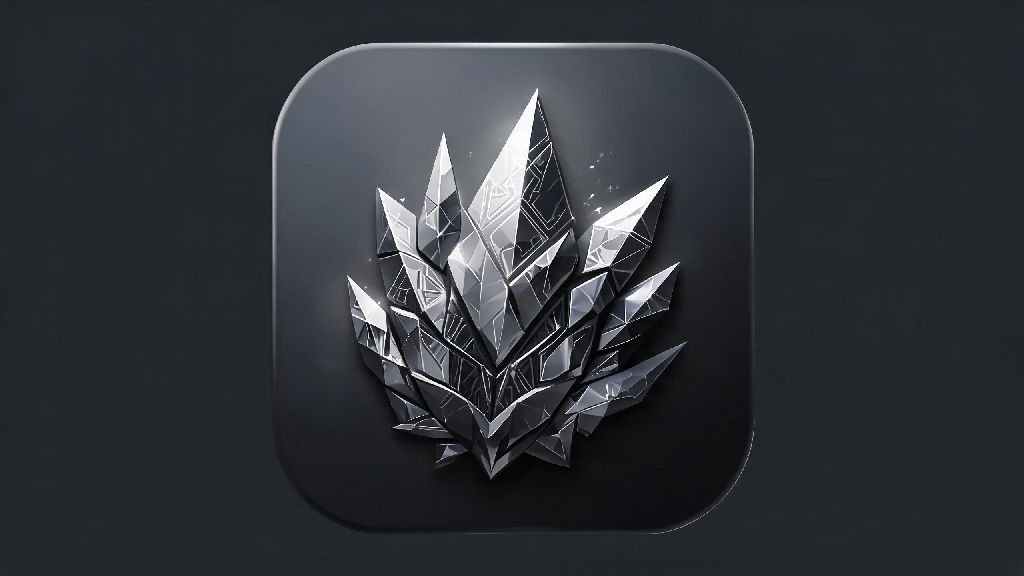
If you’ve tapped the Arknights Endfield app icon a hundred times to launch the game, you might not have stopped to notice all the small details packed into that tiny square on your home screen. I’ve spent hours digging through developer interviews, community forums, and my own trial and error with custom icons to break down everything you need to know about this small but meaningful part of the game experience. Whether you’re a casual player who just wants a nicer icon on your home screen or a lore fan hunting for hidden references, this guide has you covered.
What the Official Arknights Endfield App Icon Tells You About the Game’s Lore
Hypergryph didn’t just throw a random logo on the app icon; every design choice ties back to the core of the Endfield universe. The central crystalline formation is instantly recognizable to long-time Arknights fans as Originium, the rare, energy-dense resource that drives the entire franchise’s plot, conflicts, and technology. The gray metal frame around the crystal is a reference to the Endfield Industry faction’s heavy-duty equipment design, which you’ll see repeatedly across in-game tools, base structures, and character outfits.
The soft orange glow emanating from the crystal isn’t just a stylistic choice either. It matches the exact hue used for active Originium processing sites in the game’s concept art, a subtle hint that the Endfield organization’s core work revolves around harvesting and refining this volatile resource. Beta players might remember that the original test version of the icon had a far brighter, almost neon glow, which the team adjusted after feedback that it was too harsh on dark home screens. This small change shows how much attention the devs pay to even the smallest parts of the player experience.
Easy Steps to Customize Your Arknights Endfield App Icon on Mobile
If the default icon doesn’t fit the vibe of your home screen, you don’t have to stick with it. Customizing the icon is completely safe, won’t affect your game data, and takes less than five minutes for both iOS and Android devices. You don’t need any advanced technical skills, and there are thousands of free fan-made designs to choose from, ranging from minimalist monochrome versions to cute chibi art of your favorite Endfield characters.
Before you start customizing, make sure you have these three things ready:
For iOS users, you’ll use the built-in Shortcuts app to create a custom launcher for the game. For Android users, most launchers (including the default ones on Samsung and Pixel devices) let you long-press the app icon, select “edit,” and upload a custom image directly. You don’t need to mod the actual game files to change the icon, so you won’t risk getting banned from online play or losing your save progress.
You can find hundreds of high-quality, free fan-made icons on popular Arknights community hubs, including the official Arknights subreddit where players share their custom designs every week. Always download icon files from trusted community sources to avoid malware or low-quality assets that will look pixelated on your screen. The only small downside for iOS users is that custom shortcuts will open the Shortcuts app for half a second before launching the game, a minor tradeoff for a home screen that feels more personal.
Common Arknights Endfield App Icon Issues and How to Fix Them
Even if you stick with the official icon, you might run into small issues from time to time, most of which are super easy to fix. The most common complaint is the icon disappearing or reverting to the default design after a game update. That happens because app patches often override custom shortcut data, so you’ll just need to reapply your custom icon the same way you did the first time. There’s no way to prevent this entirely, but saving your favorite custom icon files to a dedicated folder on your device will make the process faster when it happens.
Blurry icons are another frequent issue, especially for people who download low-quality files from random sites. If your custom icon looks fuzzy, double-check that you’re using a file that’s at least 512x512px, and resize it to match your device’s icon dimensions if needed. If you’re using an iOS 17+ device, you can turn off the “add shadow to shortcut” toggle in Shortcuts to make your custom icon look identical to official apps, no extra editing required.
Some Android users also report that the official icon gets replaced with a generic themed icon when they turn on their system’s dynamic theme setting. To fix that, go to your launcher’s icon settings, find Arknights Endfield, and select “use default icon” to override the system theme. You can also adjust the shape of the icon to match the rest of your apps if your launcher lets you edit corner radius or add borders.
Hidden Easter Eggs in the Official Arknights Endfield App Icon
Hypergryph is famous for hiding tiny lore clues in every part of their games, and the app icon is no exception. If you zoom in 300% on the official icon, you’ll see a tiny serial number etched into the bottom of the metal frame: EF-76. That’s the designation of the first Endfield expedition team mentioned in the game’s opening cutscene, the same group that first established a foothold on the planet Talos-II.
The shape of the Originium crystal in the icon is another hidden reference. It matches the exact shape of the core relic you retrieve in the first main story mission, a hint that this artifact will play a major role in future story updates. Hypergryph has a history of hiding lore clues in app icons, so they’ll likely update the design when major story patches drop to tease new content before it’s officially announced.
Beta players might also remember the tiny blue mark in the corner of the test version of the icon. That was a subtle hint about the limited-time ice zone event that ran during the final beta test, a detail no one noticed until the event went live. Even the angle of the crystal in the official icon matches the angle of the Endfield logo printed on the main protagonist’s jacket, a tiny detail that shows how much thought the team puts into every part of the game’s branding.
At the end of the day, the Arknights Endfield app icon is more than just a button to launch the game. It’s a small piece of the franchise’s lore, a way to customize your device to show off your love for the series, and even a source of hidden clues for upcoming content. Whether you stick with the official design or swap it out for a fan-made one that fits your style, it’s a small detail that can make your daily game sessions feel just a little more personal. Next time you tap that icon to log in for your daily missions, take half a second to look at it closely—you might spot a new detail you never noticed before.